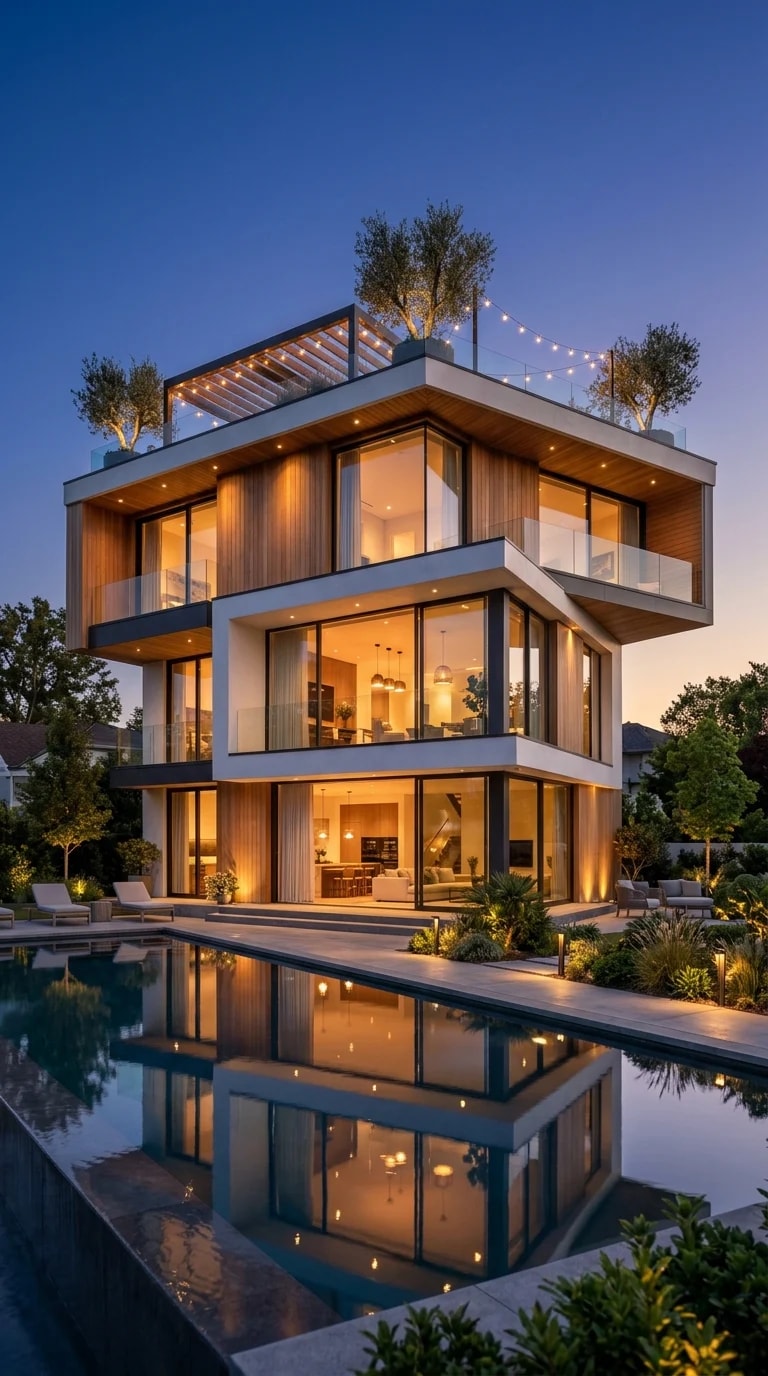
The most striking thing about this house at dusk is not the glass or the rooftop string lights. It is the pool. Because the water sits perfectly still, the whole building doubles itself, and the composition suddenly has a spine. That is the idea worth borrowing for your phone: instead of stacking icons wherever they land, give the screen a centerline and let one half answer the other. A mirrored layout reads as intentional before anyone even notices the colors.
Start with a wallpaper that carries the reflection itself. A vertical crop of a lit house over dark water, with the roofline roughly two-thirds up the frame, leaves a large quiet band of navy in the middle where the dock sits. Set your wallpaper with the darkening gradient on so the upper edge deepens rather than washes out. If you prefer something more abstract, take a photo of your own at blue hour, darken it slightly, and let the waterline fall just below your first row of icons. The point is a visible horizon on the screen, not wallpaper as background noise.
Now build the symmetry. Place four widgets so they pair across the vertical center: weather top left, a large clock top right, calendar below left, battery or activity ring below right. Match widget corner radius, keep text size identical on both sides, and leave one empty row between your widgets and your dock so the layout can breathe. For the dock itself, pick four icons and treat them as a matched set, all with the same muted treatment. Deep navy icon packs with off-white glyphs work well, and a single amber accent, used only on your most-used app, will echo the warm windows glowing against that dusk sky.
Color discipline is what separates a curated screen from a cluttered one. Limit yourself to three tones: rich navy for the base, warm amber for one accent element, and a soft white for text. Turn on dark mode everywhere, set notification badges to a small amber dot rather than red, and hide labels on the dock if your launcher allows it. Reduce motion, too. A screen that does not twitch every few seconds feels like still water, and stillness is the whole point of the image.
Spend fifteen minutes on the pairing and the palette, then stop. The house in this photo works because nothing competes: the light is warm, the sky is blue, the water repeats it all back once and goes quiet. Your home screen can hold that same hush.